
Phishing emails today rarely begin with, "Salutations from the son of the deposed Prince of Nigeria..." and it's becoming increasingly difficult to distinguish a fake email from a verified one. But, most have subtle hints of their scammy nature. Here are seven email phishing examples to help you recognize a malicious email and maintain email security.
If you’d like to see some examples of Phishing emails, click here:
https://competenz.freshservice.com/support/solutions/articles/5000079024
What is a common indicator of a phishing attack?
Requests for personal information, generic greetings or lack of greetings, misspellings, unofficial "from" email addresses, unfamiliar webpages, and misleading hyperlinks are the most common indicators of a phishing attack.
1. Legit companies don’t request your sensitive information via email
Chances are if you receive an unsolicited email from an institution that provides a link or attachment and asks you to provide sensitive information, it’s a scam. Most companies will not send you an email asking for passwords, credit card information, credit scores, or tax numbers, nor will they send you a link from which you need to login.
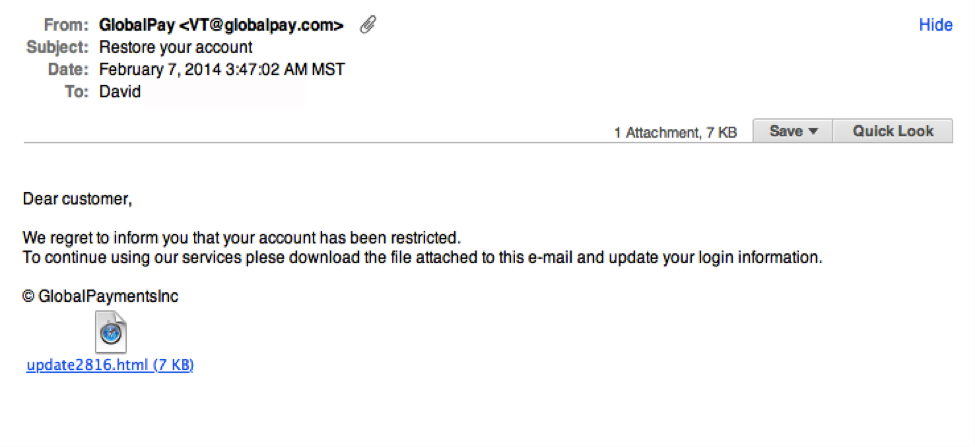
Notice the generic salutation at the beginning, and the unsolicited web link attachment? |
2. Legit companies usually call you by your name
Phishing emails typically use generic salutations such as “Dear valued member,” “Dear account holder,” or “Dear customer.” If a company you deal with required information about your account, the email would call you by name and probably direct you to contact them via phone.
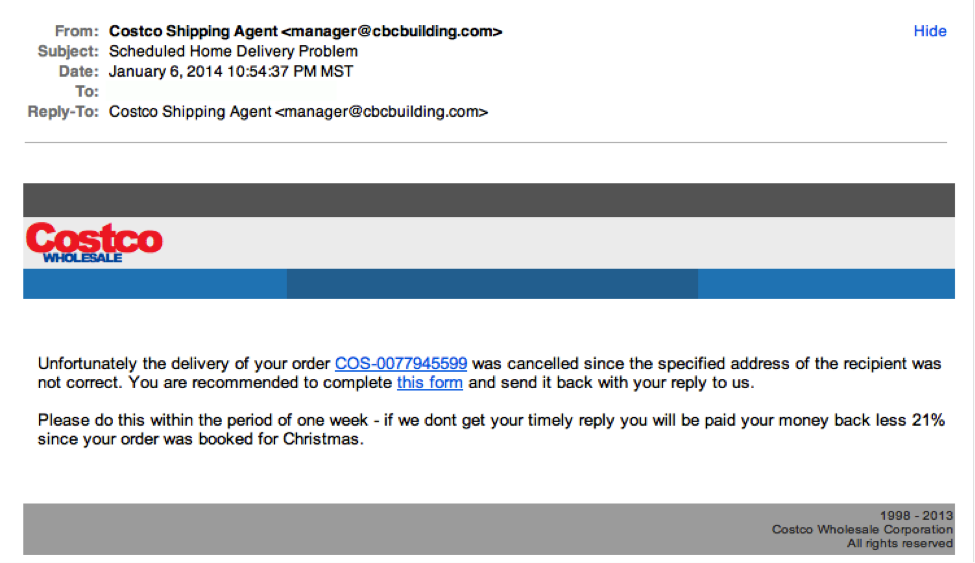
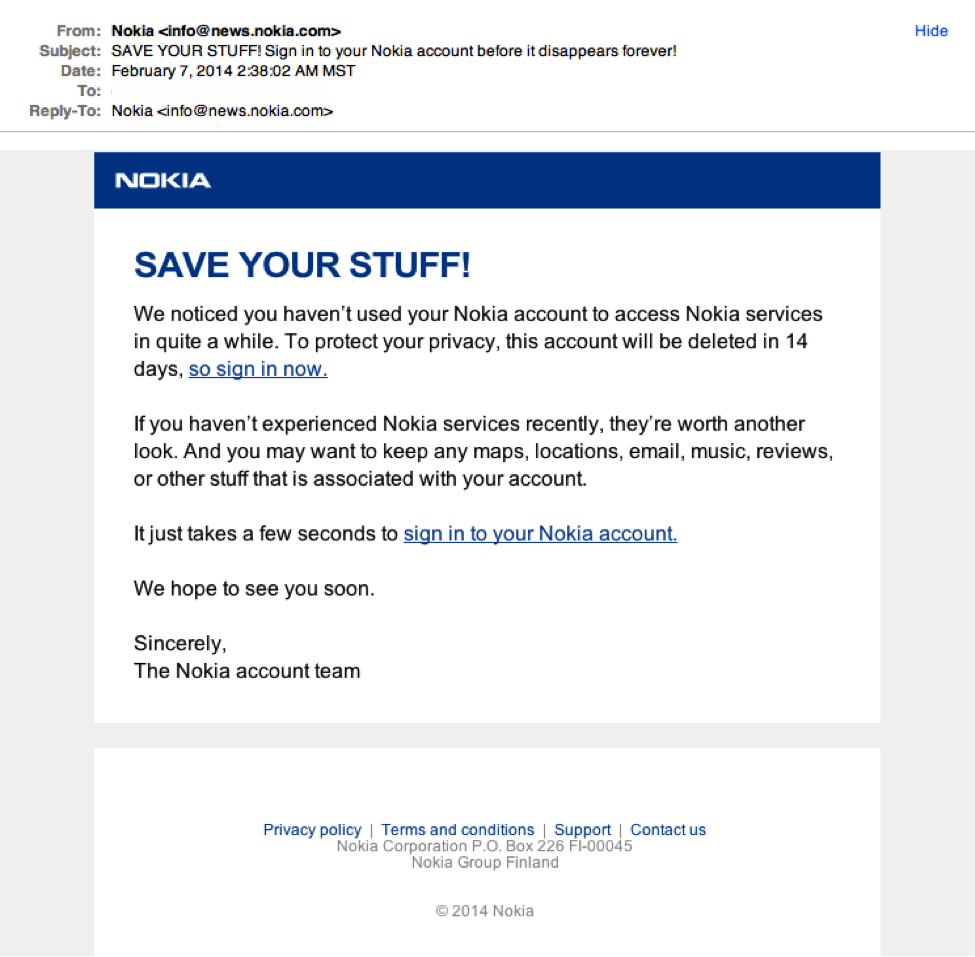
BUT, some hackers simply avoid the salutation altogether. This is especially common with advertisements. The phishing email below is an excellent example. Everything in it is nearly perfect. So, how would you spot it as potentially malicious?
This is a very convincing email. The best clue is in the email domain. More on that below.
3. Legit companies have domain emails
Don’t just check the name of the person sending you the email. Check their email address by hovering your mouse over the ‘from’ address. Make sure no alterations (like additional numbers or letters) have been made. Check out the difference between these two email addresses as an example of altered emails:
[email protected]
[email protected]
Just remember, this isn’t a foolproof method. Sometimes companies make use of unique or varied domains to send emails like newsletters, and some smaller companies use third party email providers.
|
|
Sometimes the logo in an email may not be the right one. For example, can you tell which logo below is the REAL Xero logo?
4. Legit companies know how to spell
Possibly the easiest way to recognize a scammy email is bad grammar. An email from a legitimate organization should be well written. Little known fact – there’s actually a purpose behind bad syntax. Hackers generally aren’t stupid. They prey on the uneducated believing them to be less observant and thus, easier targets.
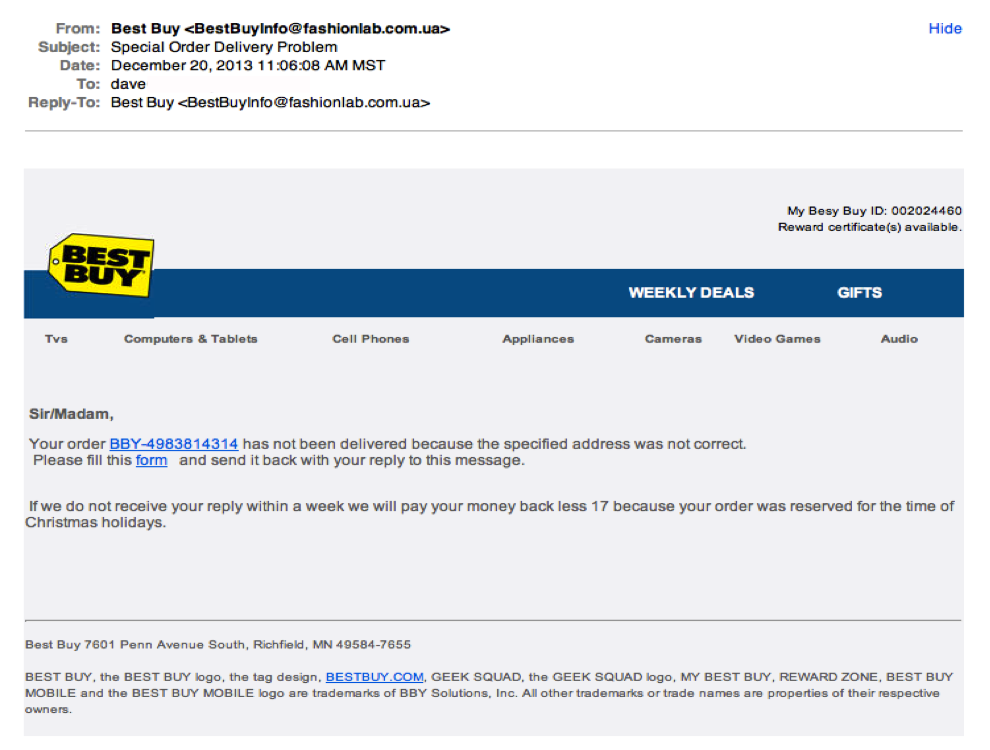
In addition to the generic salutation, grammar gaffes are usually a good clue that something is wrong. “Please fill this form…” And notice the ‘17’ reference in the middle of the sentence.
5. Legit companies don’t force you to their website
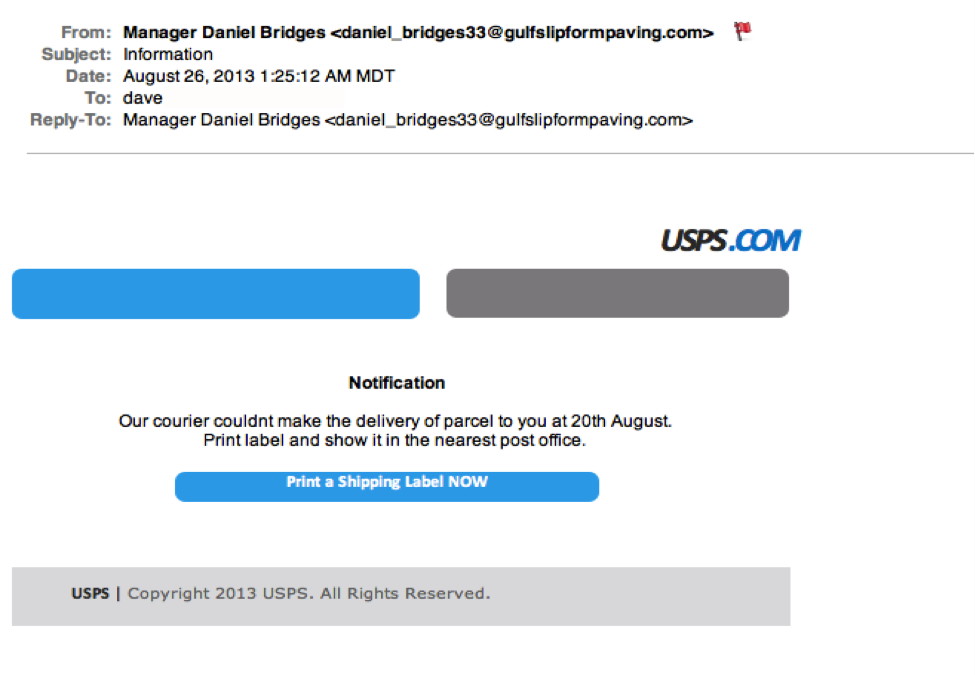
Sometimes phishing emails are coded entirely as a hyperlink. Therefore, clicking accidentally or deliberately anywhere in the email will open a fake web page, or download spam onto your computer.
|
|
|
This whole email was a gigantic hyperlink, so if you clicked anywhere in the email, you would initiate the malicious attack. |
6. Legit companies don’t send unsolicited attachments
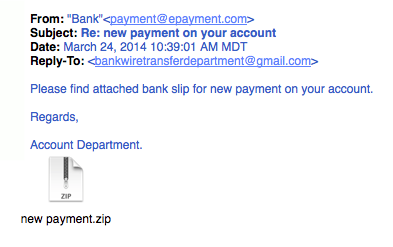
Unsolicited emails that contain attachments reek of hackers. Typically, authentic institutions don’t randomly send you emails with attachments, but instead direct you to download documents or files on their own website.
Like the tips above, this method isn’t foolproof. Sometimes companies that already have your email will send you information, such as a white paper, that may require a download. In that case, be on the lookout for high-risk attachment file types include .exe, .scr, and .zip. (When in doubt, contact the company directly using contact information obtained from their actual website.)
|
|
|
Just remember, curiosity killed the cat. |
7. Legit company links match legitimate URLs
Just because a link says it’s going to send you to one place, doesn’t mean it’s going to. Double check URLs (web address). If the link in the text isn't identical to the URL displayed when the cursor hovers over the link, that's a sure sign you will be taken to a site you don’t want to visit. If a hyperlink’s URL doesn’t seem correct, or doesn’t match the context of the email, don’t trust it. Ensure additional security by hovering your mouse over embedded links (without clicking!) and ensure the link begins with https://.
This is a good example – the text says it’s Adobe’s website, but if you hover your mouse over the link without clicking it, the URL is actually the Competenz website!
|
|
|
Although very convincing, the real Nokia wouldn't be sending you a "Save your stuff" email from [email protected] |
When in doubt…
If you are ever unsure whether the email you have received is a Phishing email, please feel free to forward it on to [email protected] and log a ticket with the ICT team to check it out.
For more information on Phishing emails, check out the other article from Freddy: Phishing emails
https://competenz.freshservice.com/support/solutions/articles/5000079025